 Toolnoza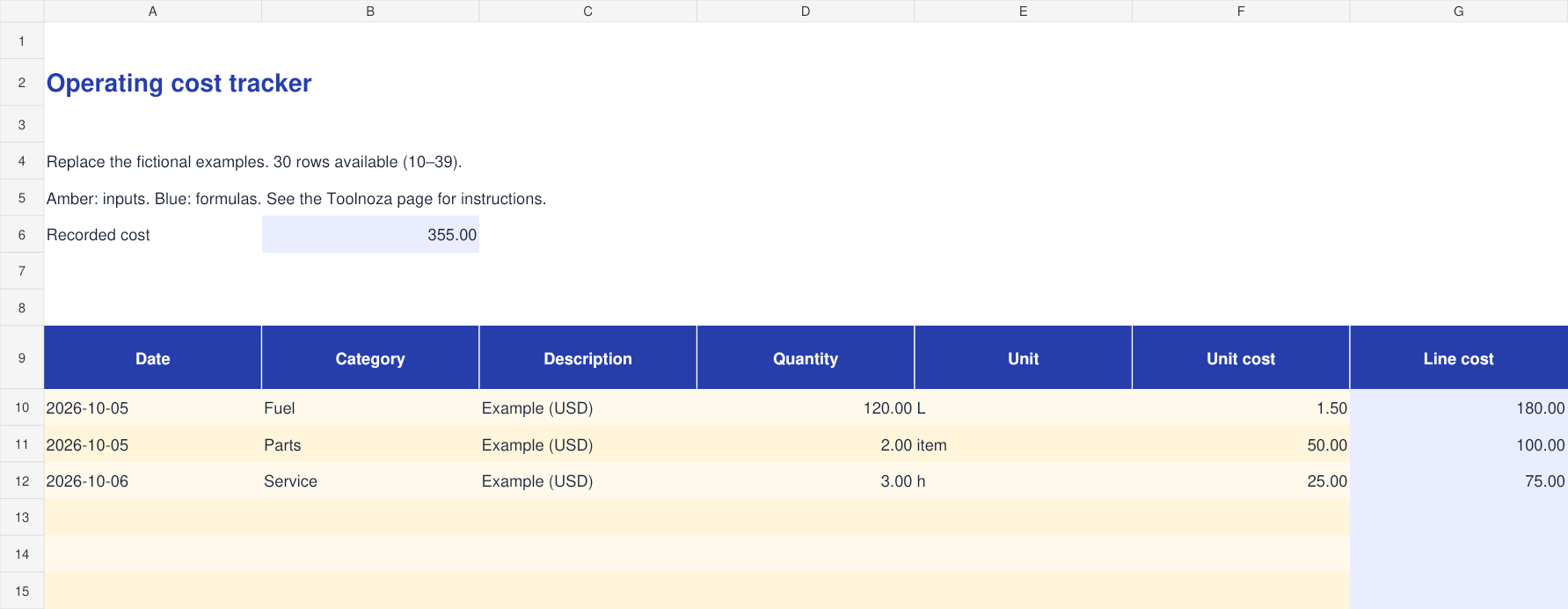
How to fill in the template
- Use one currency throughout the workbook and record its code in the description.
- Enter a quantity, its unit and the corresponding unit cost for every expense.
- Line cost equals quantity multiplied by unit cost. The top total adds the calculated lines.
Calculations cover rows 10–39. To extend the file, copy the final row with its formulas and update total ranges.
Worked example
120 litres at 1.50 currency units per litre cost 180 currency units.
What to check
Tax, depreciation, exchange rates and allocations are not calculated. Include them as separate recorded costs when needed.
Included columns
- Date
- Category
- Description
- Quantity
- Unit
- Unit cost
- Line cost
Frequently asked questions
Is the file free?
Yes. Download without an account or payment. You can edit the file for your personal or professional use.
How do I open it?
Open the .xlsx file in Excel or a spreadsheet app supporting this format. You can import it into Google Sheets; check formulas and formatting after import.
Is my data sent to Toolnoza?
No. You fill in the downloaded file in your own spreadsheet app.