 Toolnoza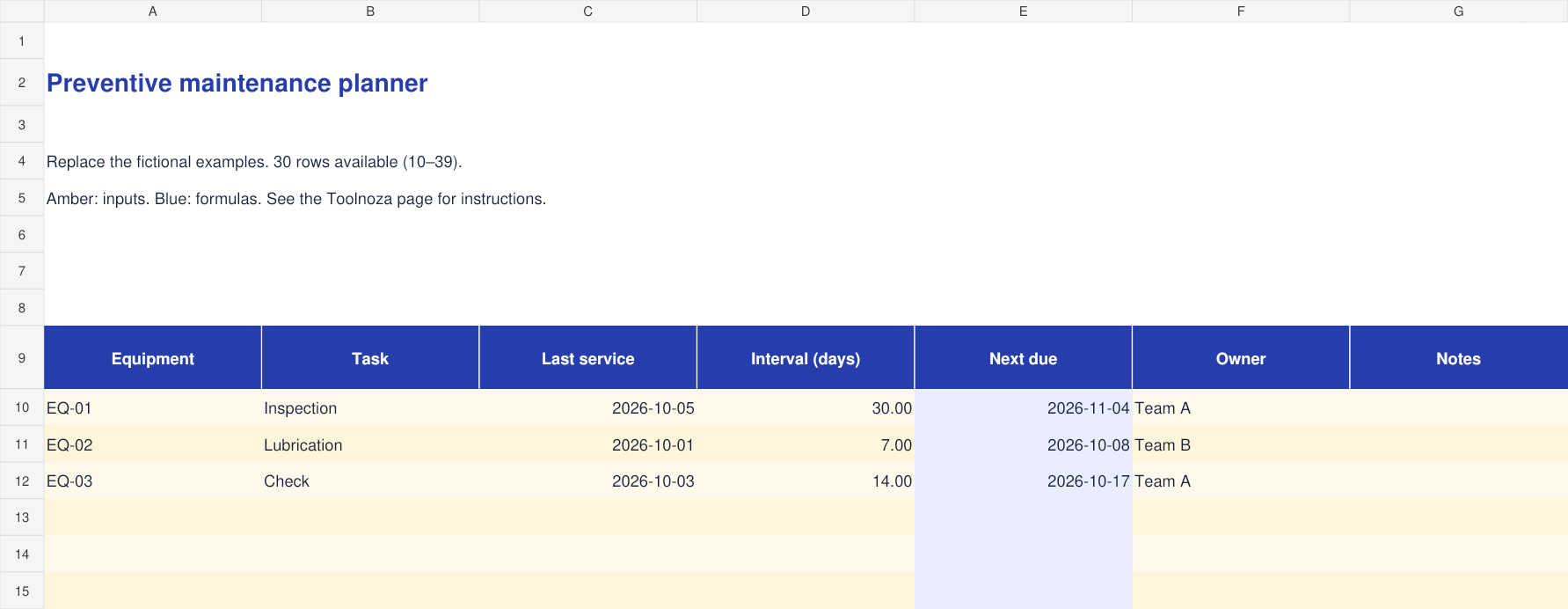
How to fill in the template
- List each equipment and maintenance task separately.
- Enter the last service date and a positive whole-day interval.
- The next due date adds the interval to the last service date. Record the owner and update after each service.
Calculations cover rows 10–39. To extend the file, copy the final row with its formulas and update total ranges.
Worked example
A service on 5 October 2026 with a 30-day interval is due on 4 November 2026.
What to check
Intervals are calendar days. The file does not send reminders or calculate operating-hour maintenance. Follow the equipment maintenance instructions.
Included columns
- Equipment
- Task
- Last service
- Interval (days)
- Next due
- Owner
- Notes
Frequently asked questions
Is the file free?
Yes. Download without an account or payment. You can edit the file for your personal or professional use.
How do I open it?
Open the .xlsx file in Excel or a spreadsheet app supporting this format. You can import it into Google Sheets; check formulas and formatting after import.
Is my data sent to Toolnoza?
No. You fill in the downloaded file in your own spreadsheet app.